












.jpg "Minesweeper")


Jigsaw Solitaire
How to Play Jigsaw Solitaire
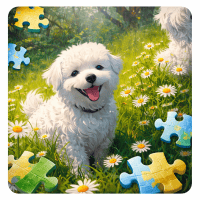
In Jigsaw Solitaire, each level starts with an image preview. After that, the picture is divided into smaller pieces and mixed up. You need to move the pieces into the correct positions to rebuild the original image.
The game tests your visual memory and concentration. Some puzzles are very easy and can be solved in just a few seconds, while others are more complex and require careful thinking and constant movement of the puzzle pieces.
Interesting Features in Jigsaw Solitaire
Many Pictures with Different Difficulty Levels
One of the best things about Jigsaw Solitaire is the variety of pictures available in the game. Players can enjoy many types of images, from simple designs to more detailed and difficult puzzles.
Some pictures are easy enough for beginners, while others are more challenging and require more time and focus. This variety makes the game suitable for both casual players and puzzle lovers who want to improve their skills.
What Do the 3 Buttons on the Screen Do?
While playing Jigsaw Solitaire, you will see 3 useful buttons on the screen. These buttons help you solve puzzles more easily and improve your playing experience.
Undo
The Undo button lets you go back one move. If you place a piece in the wrong position or want to fix your last action, you can use Undo to correct it quickly.
Show
The Show button allows you to see the complete picture again. This feature is very helpful when you forget what the original image looks like. By checking the full image, you can better understand where each piece should go.
Surrender
The Surrender button takes you back to the menu so you can choose a new picture. If a puzzle feels too difficult or you simply want to try another image, this button gives you an easy way to leave the current level.
If you love a puzzle game with peaceful gameplay, you should try Mahjong.